← Back to the portfolio

Tutoring Center Management Platform

An Arabic platform for private tutors in Egypt who teach across several centers: students, QR attendance, schedules, session and monthly payments, booklet sales, assistants and daily accounts, with separate screens for the teacher, manager, assistant and student.
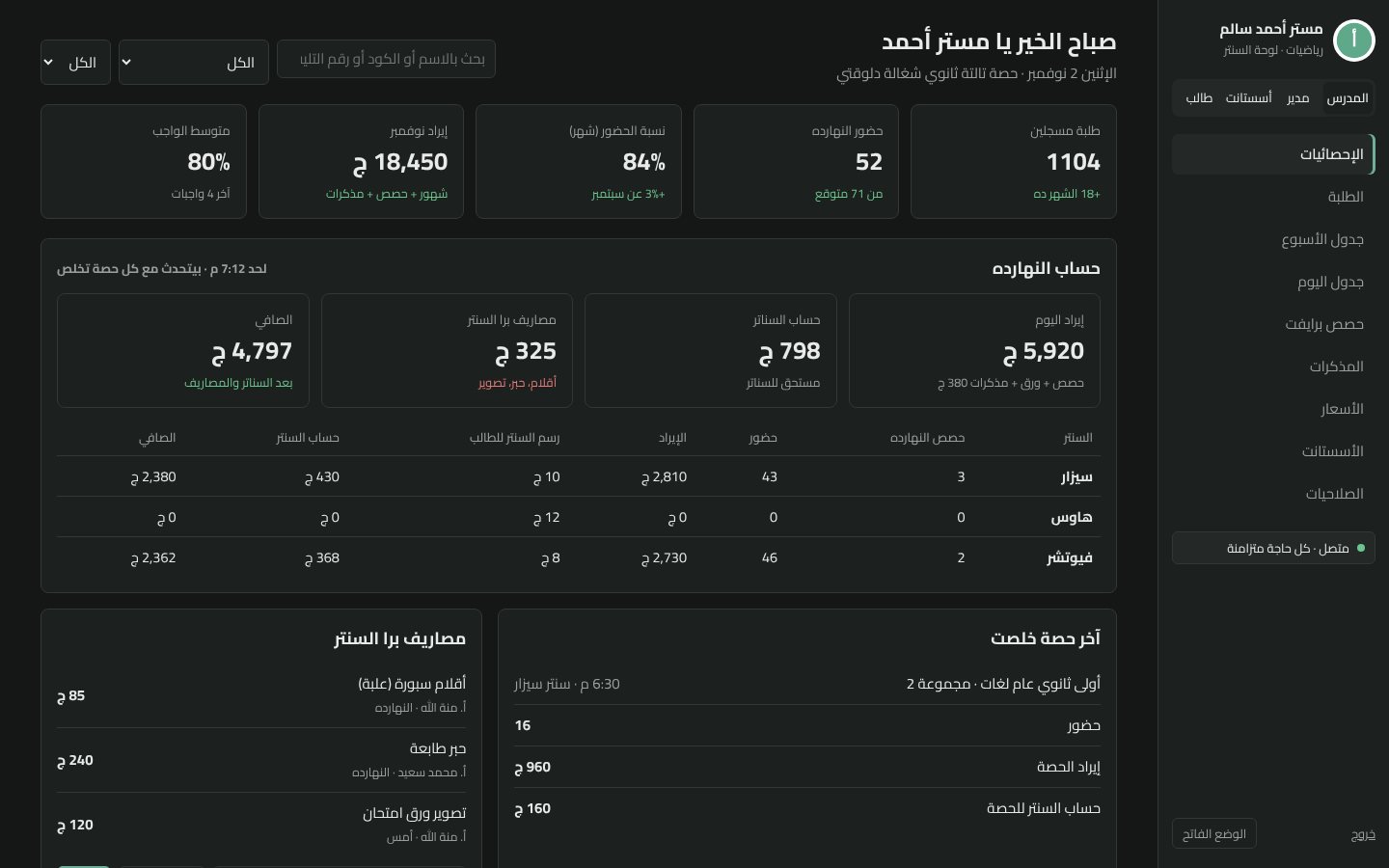
The teacher's dashboard: students, attendance, revenue, and today's account per center.

Featured Website SaaS · Prototype

4Roles: teacher, manager, assistant, student
QRAttendance by scanning a code
OfflineWorks without internet, then syncs

A project by Youssef Ehab Alsayed

The question

How can a private tutor who teaches in several centers, with assistants collecting cash and taking attendance, see every student, every payment and every center's share in one place, without notebooks or Excel?

What I built

A working prototype I built for a real secondary-school teacher, in Egyptian Arabic. The teacher sees students by grade with attendance, homework and exam averages, revenue, and alerts for unpaid months, repeated absences and weak homework. Assistants take attendance by scanning each student's QR code, collect session or monthly payments and booklet sales, and log expenses. Each center has its own prices and share, and the daily account works out what is owed to each center and the net. Assistants have permissions, check-in and check-out and monthly pay, students have their own page with their QR code, and everything keeps working offline and syncs when the connection returns.

Tools

HTML CSS JavaScript QR codes Offline sync Arabic RTL

Live site

Live site

Live demo: sign in with teacher, manager, assistant or student (password 1234) to see each role.

Open site

Screenshots

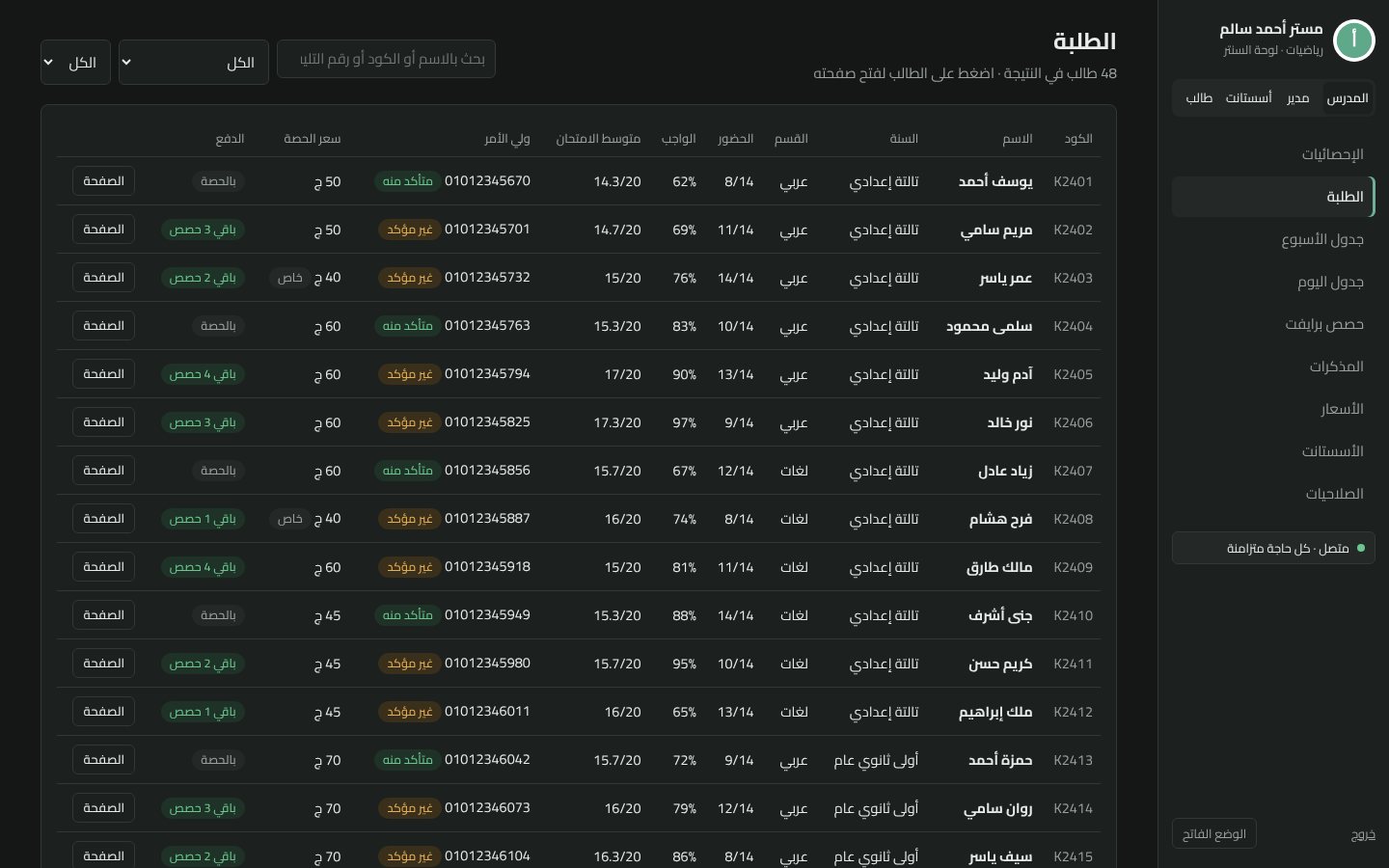
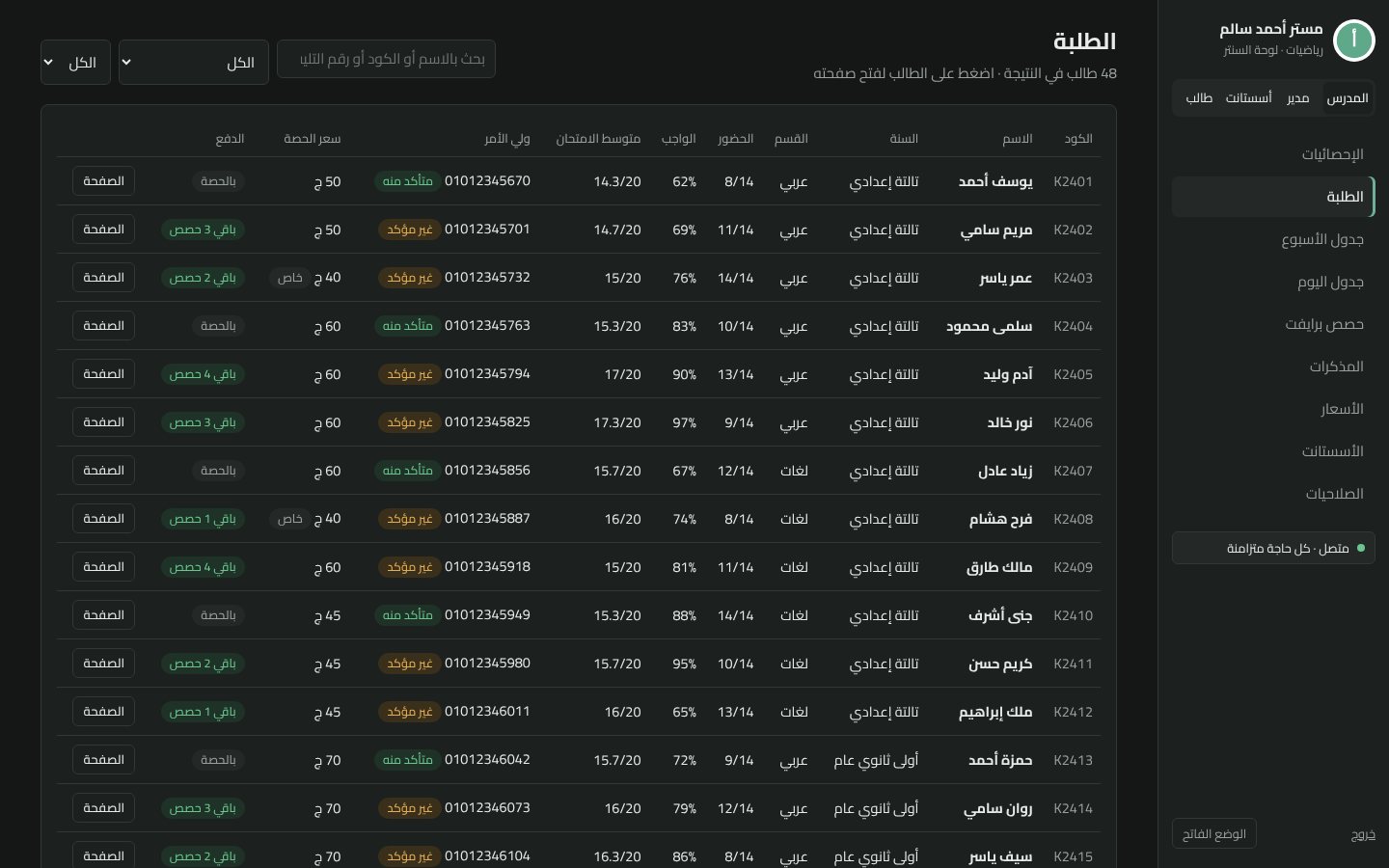
Students: filter by grade and section, with attendance, homework, exam average and payment status.
A student's page: attendance, homework and exam history, payments and parent contact.
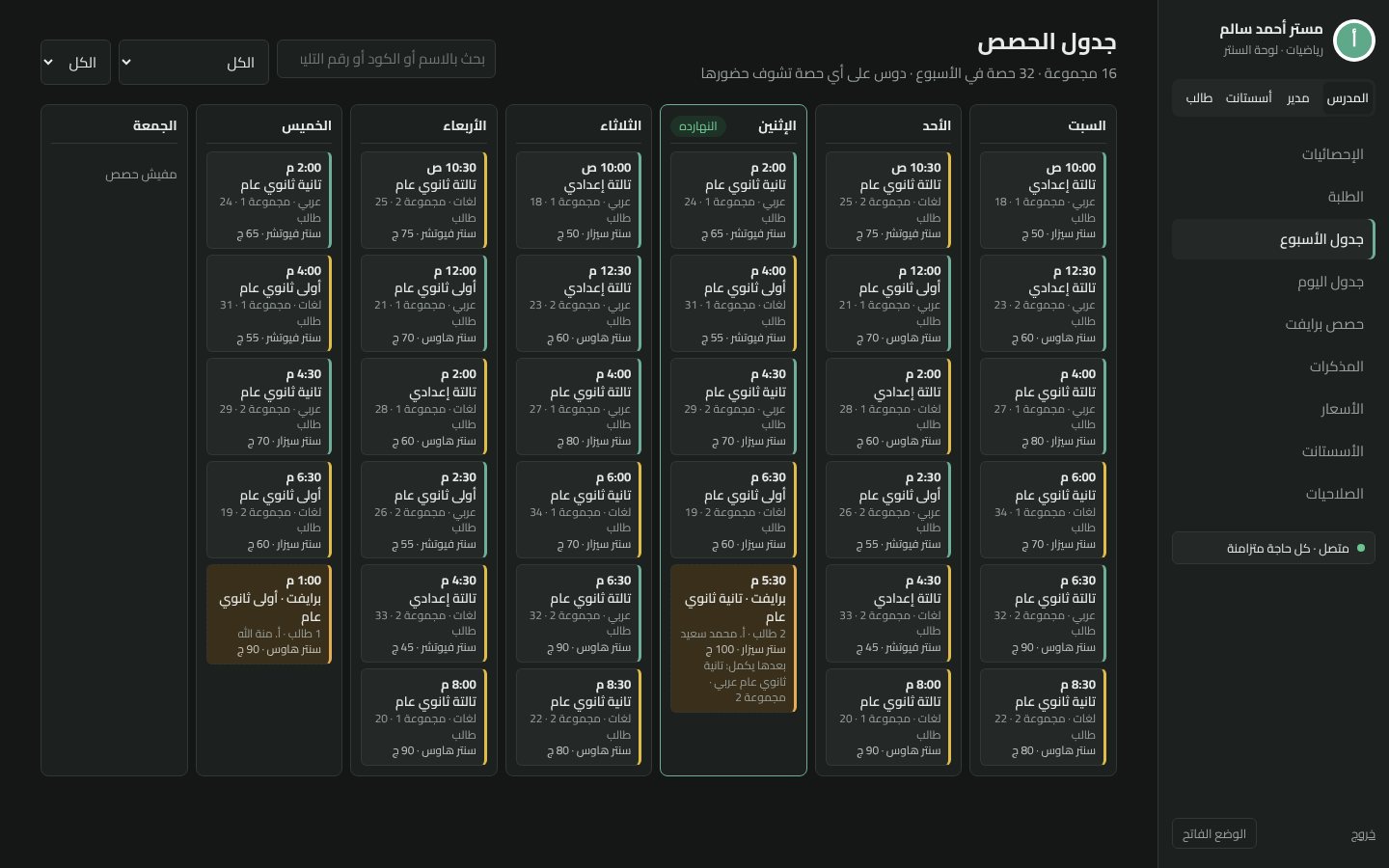
Weekly schedule across centers and groups; click any session to see its attendance.
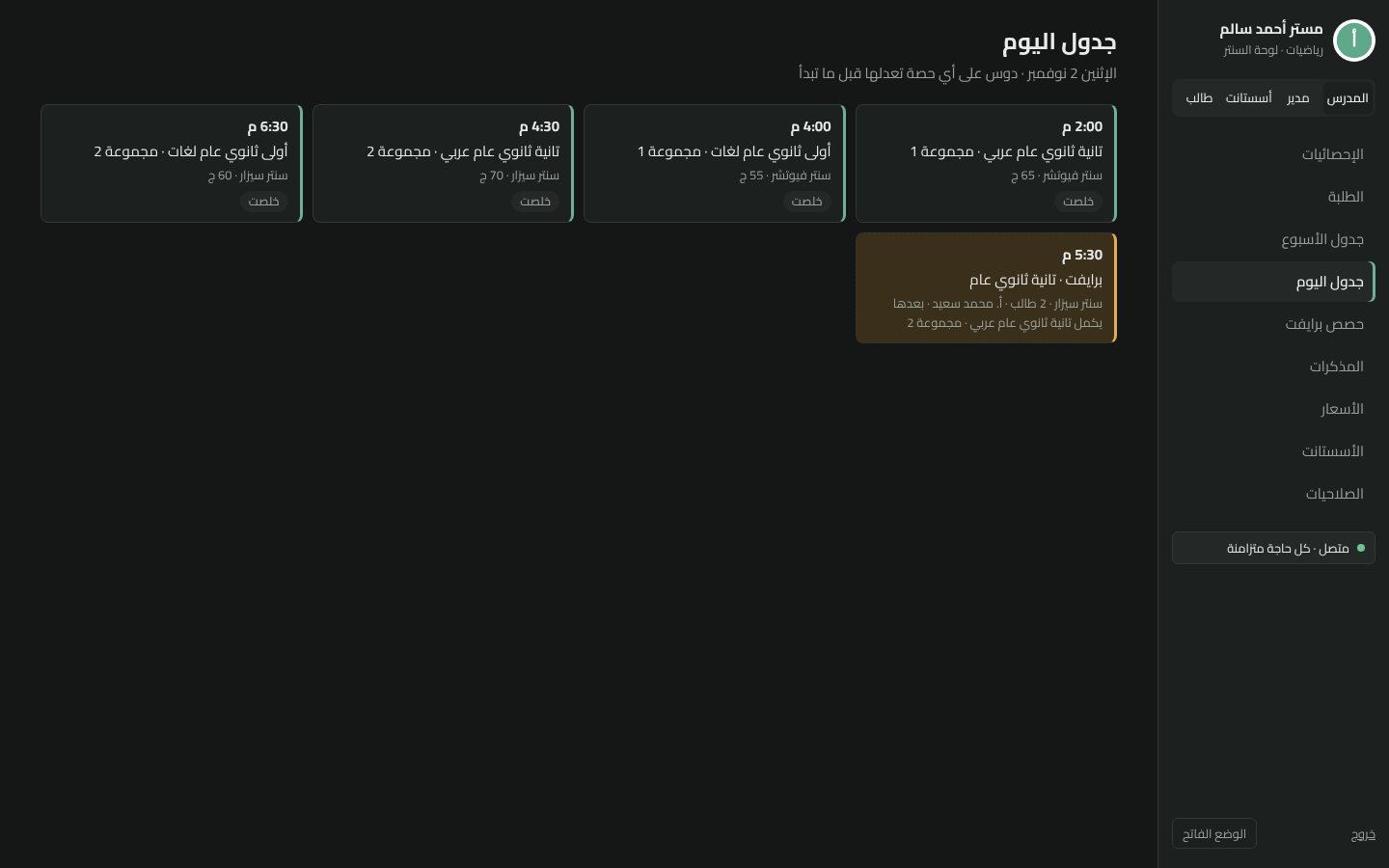
Today's sessions, including cancelled, late and rescheduled ones.
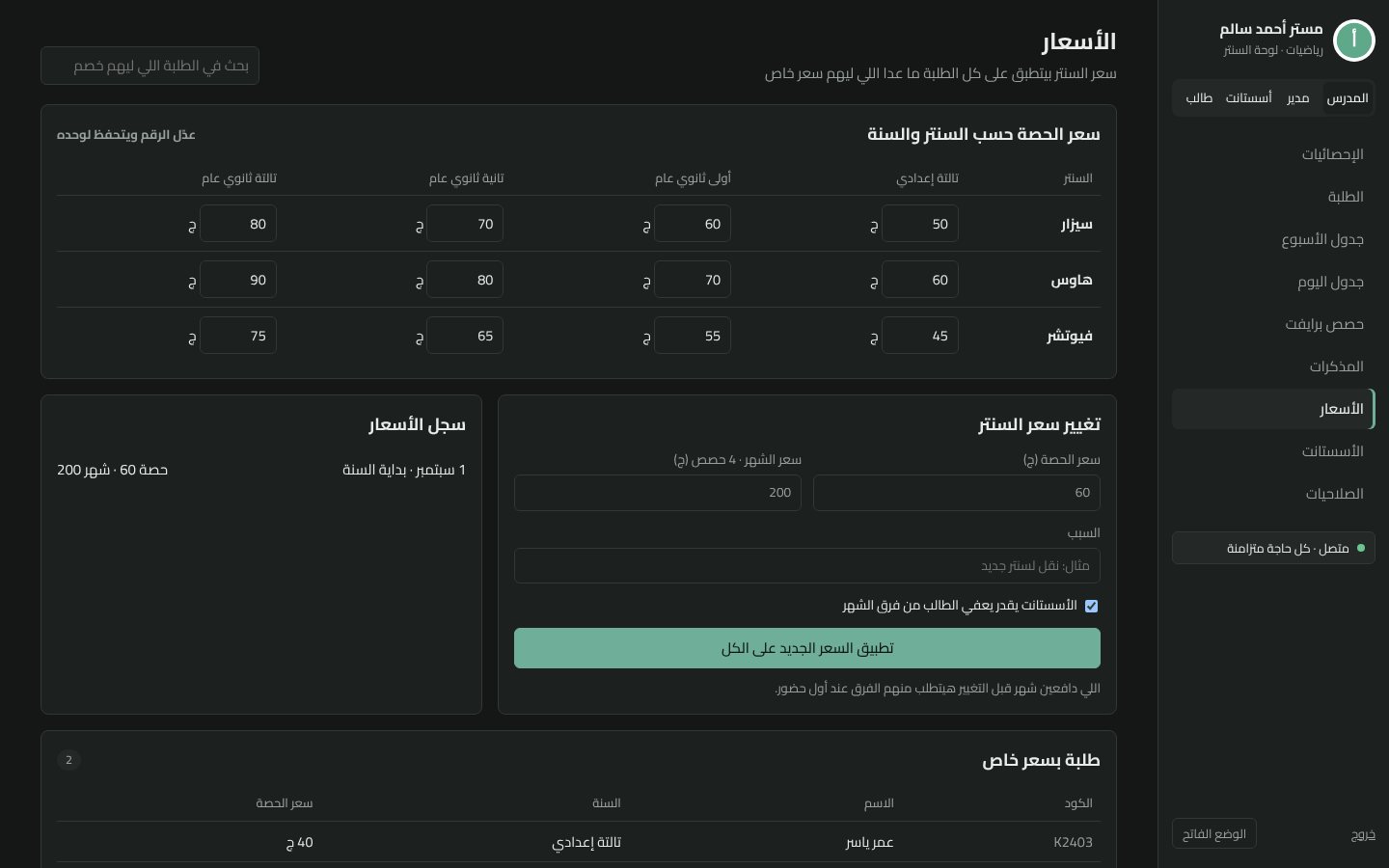
Session and monthly prices per center and grade, special prices for some students, and a price history.
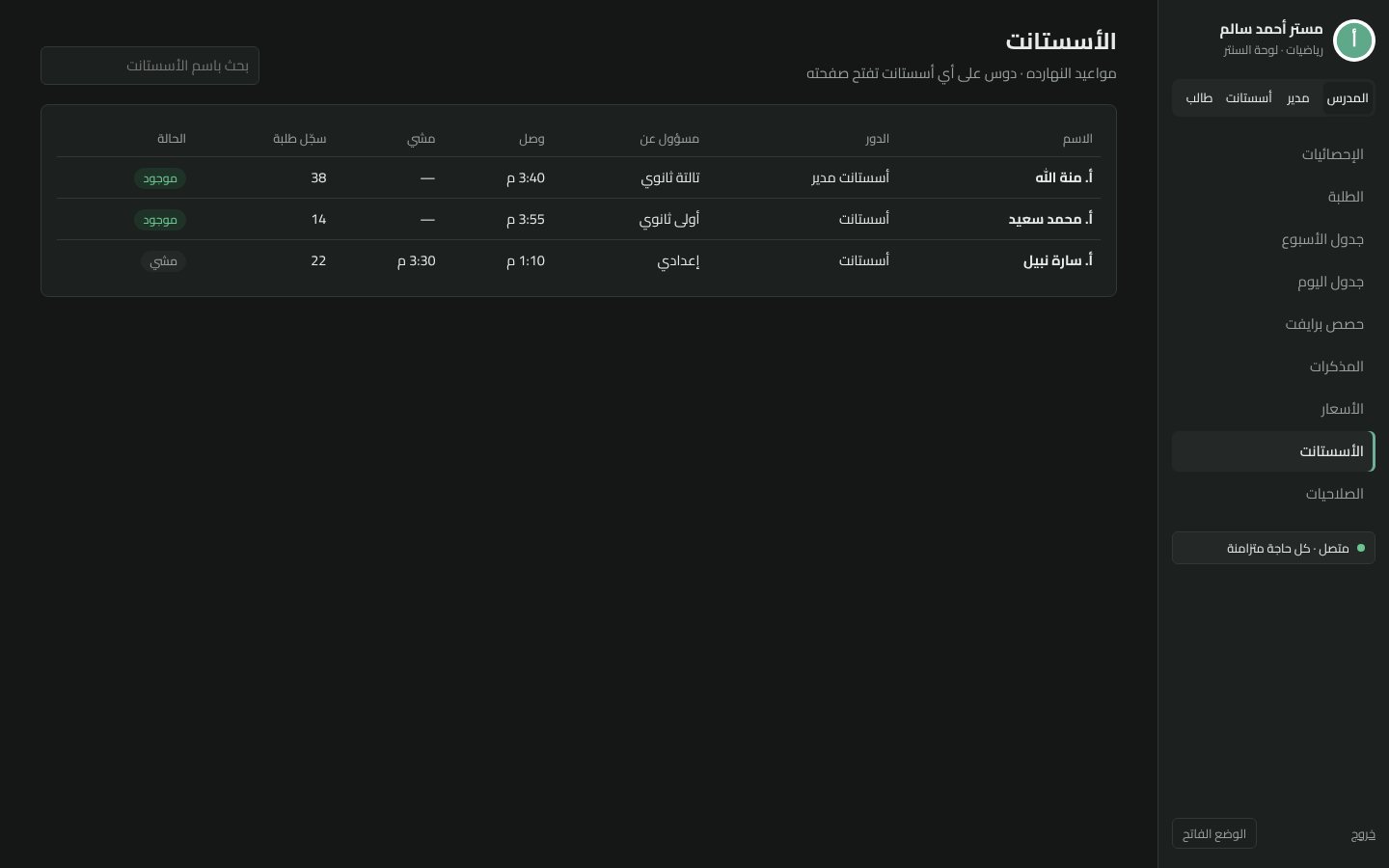
Assistants: daily rate, attendance days, what they are owed and deductions.
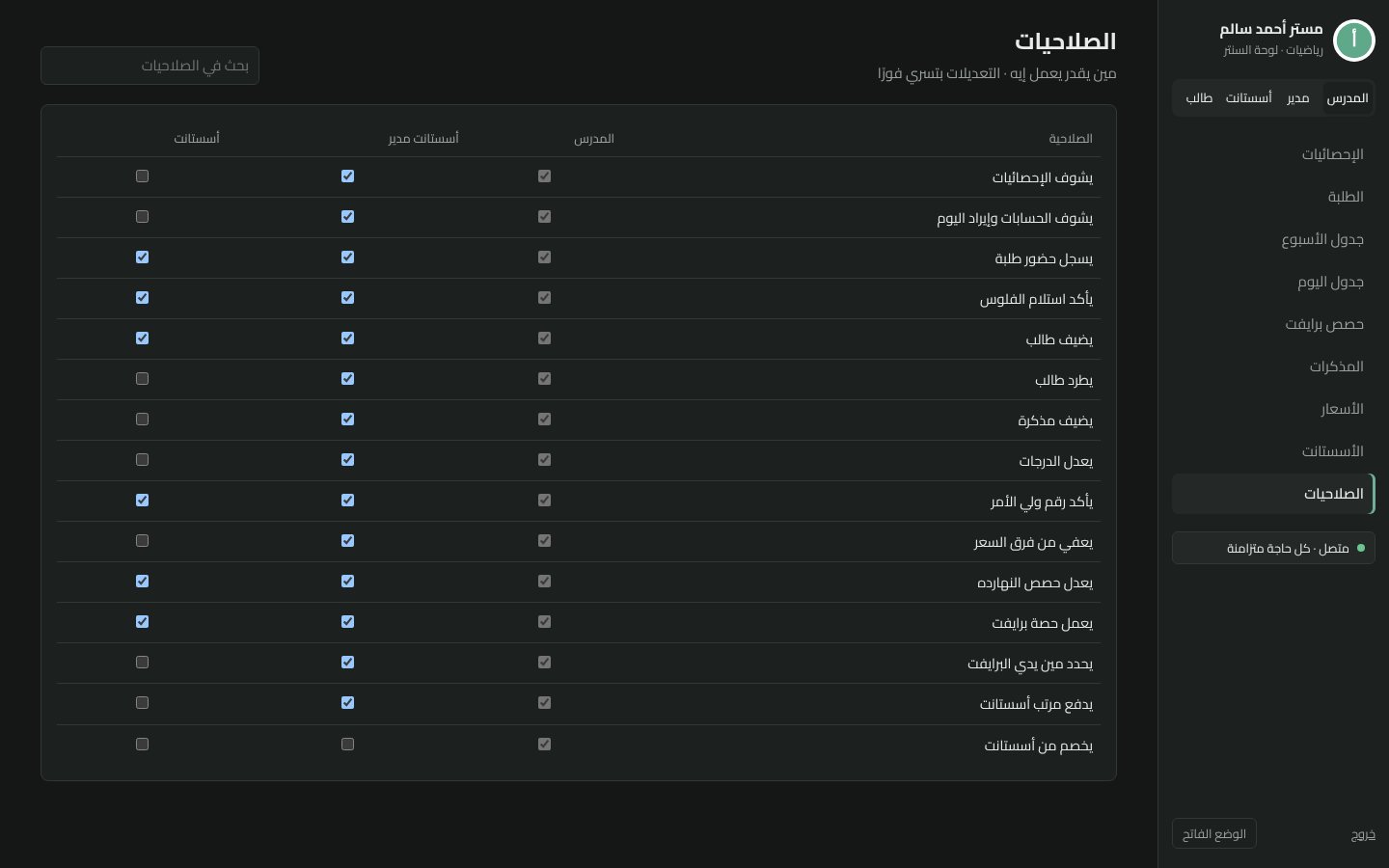
Permissions: the teacher decides what managers and assistants can see and do.
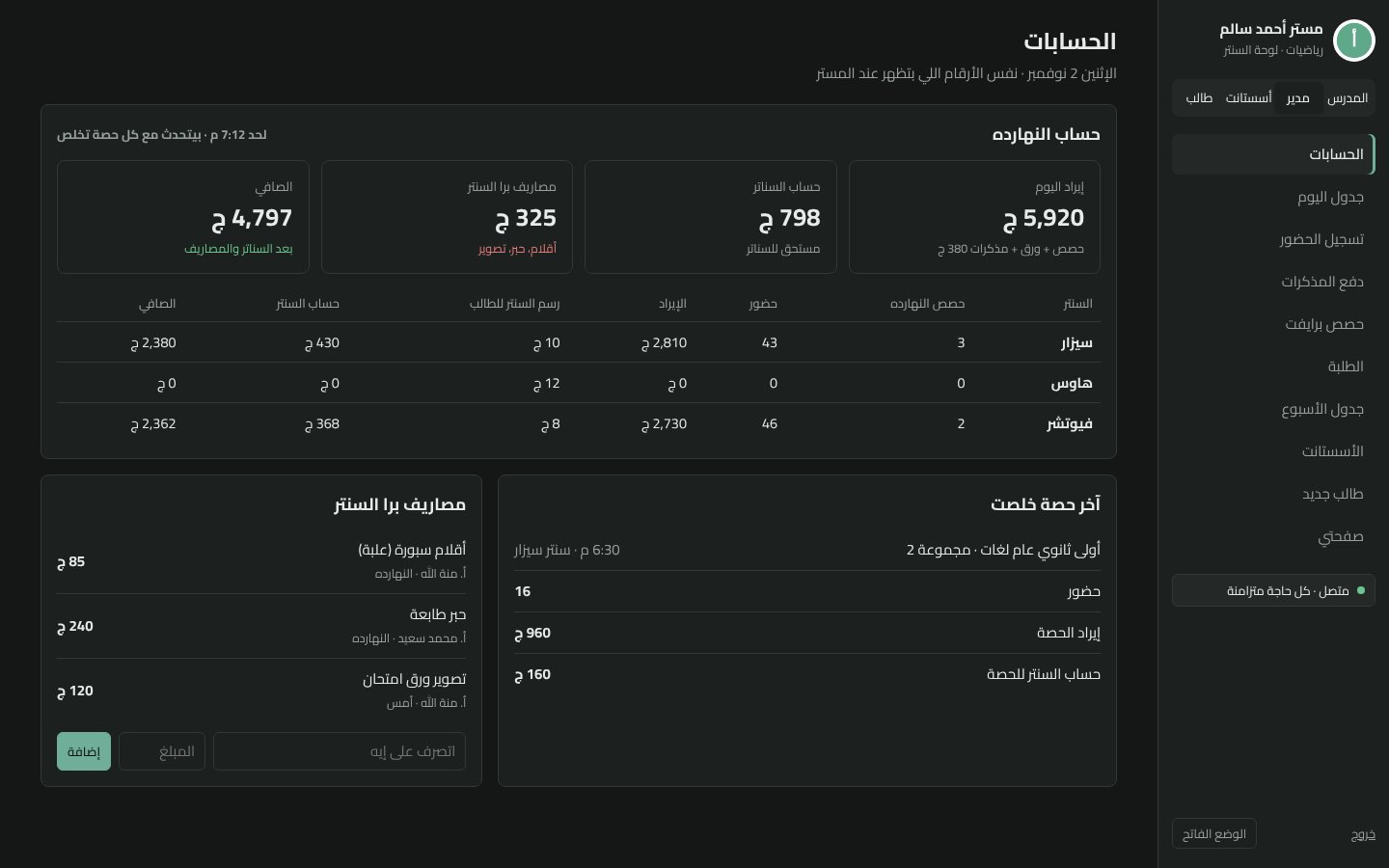
Daily accounts: today's revenue, each center's share, expenses and the net.
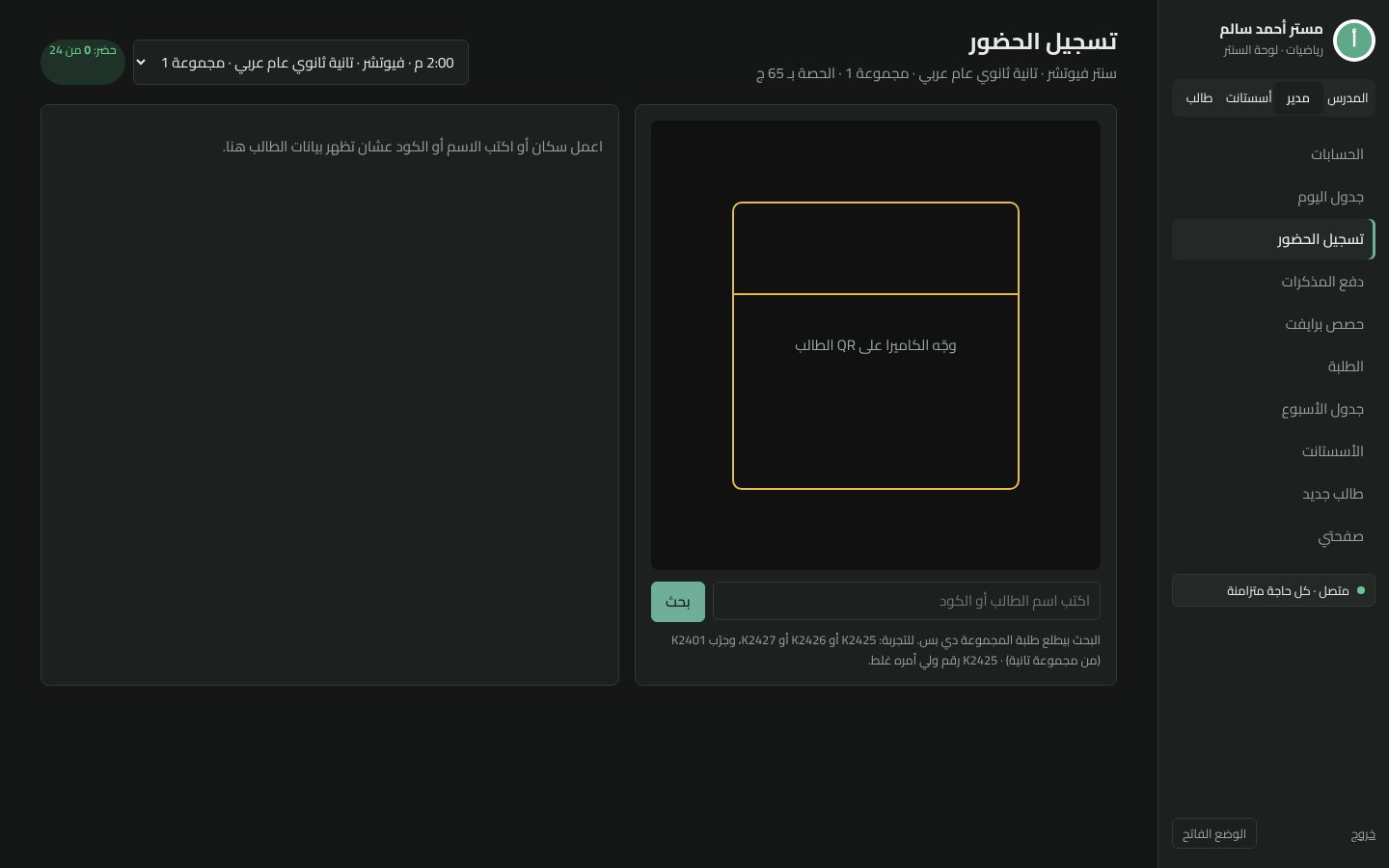
QR attendance: the assistant scans the student's code to mark them present.
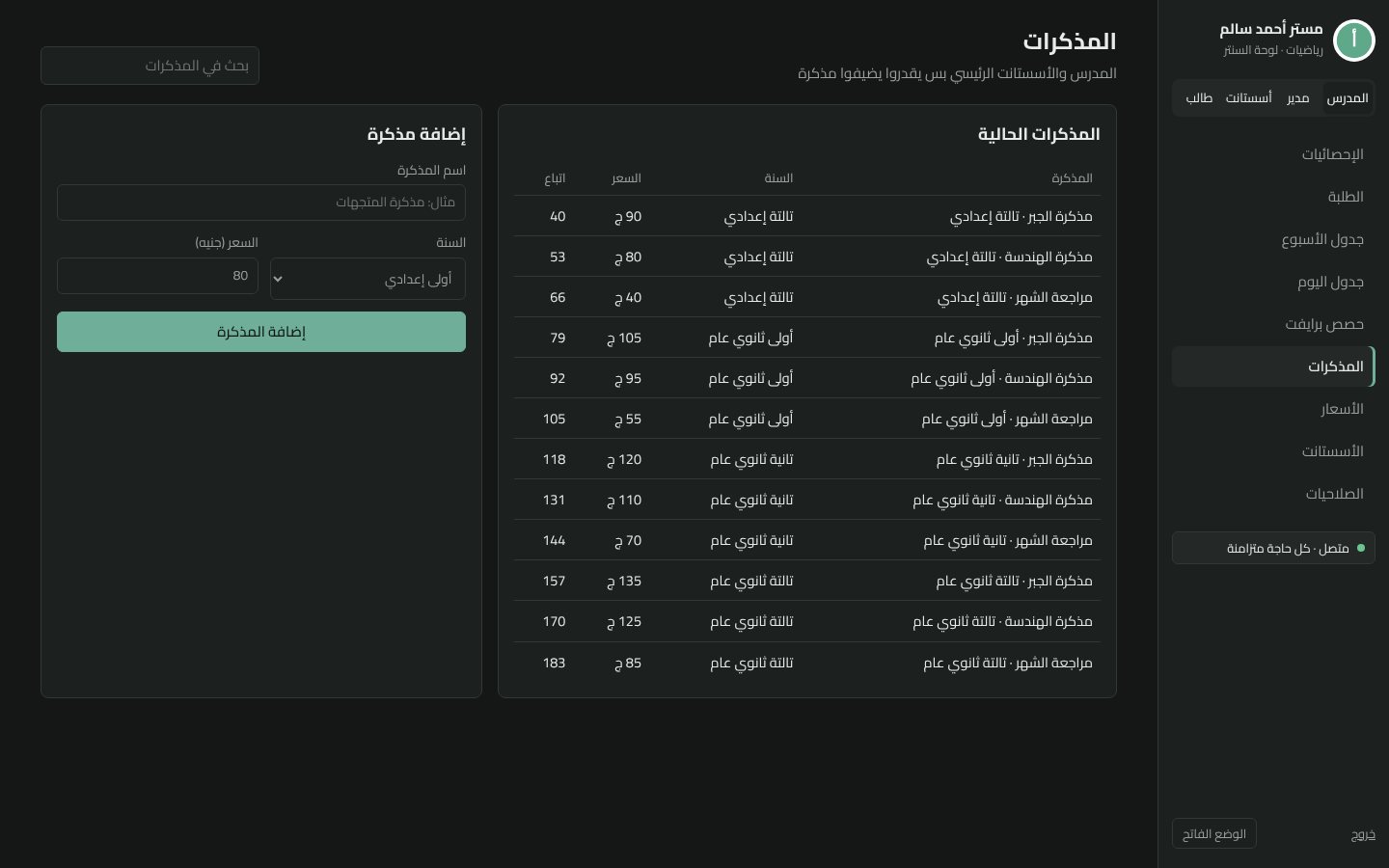
Booklets: add booklets per grade with a price and track sales.
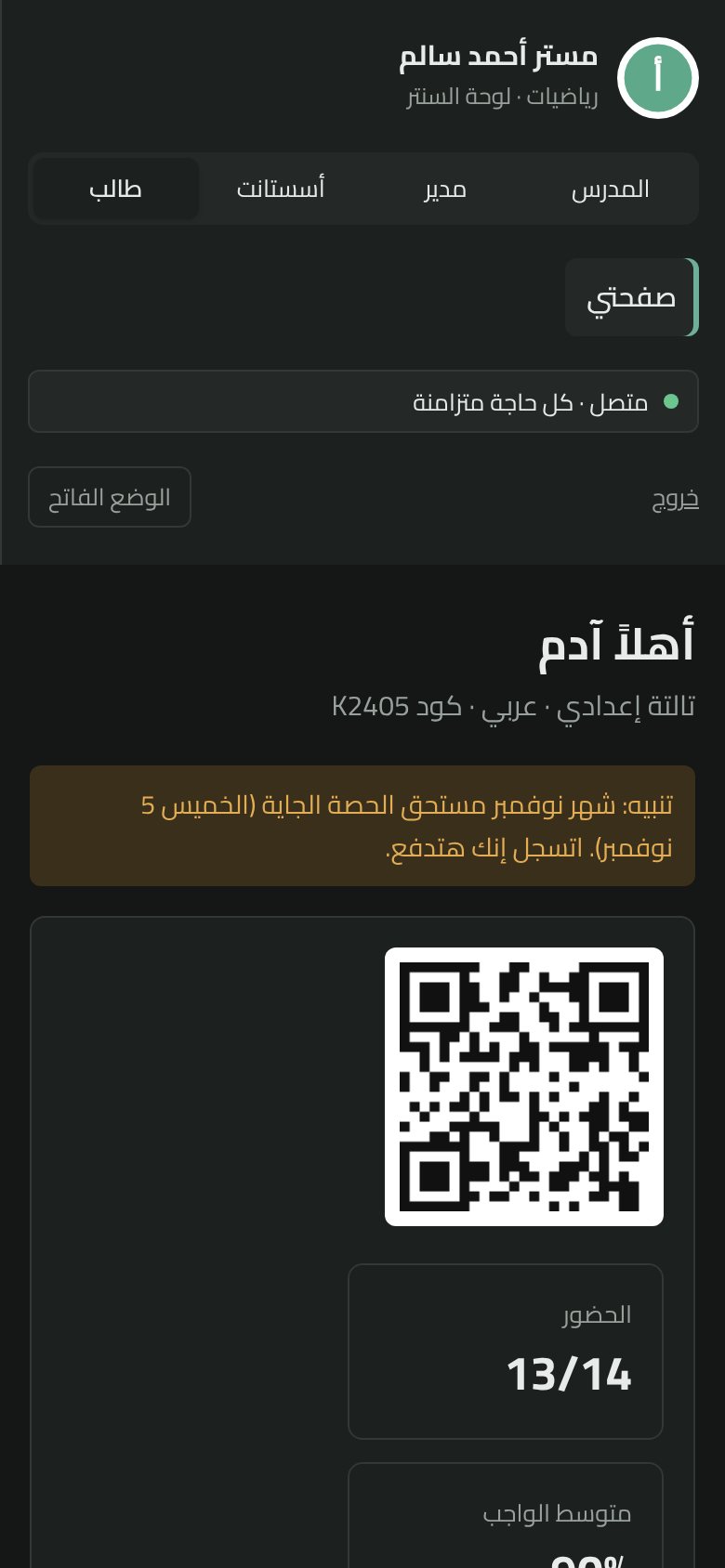
Student view on a phone: their QR code, attendance, homework and payment reminder.